
Why you should care
Look — if you need clean desks and fewer cables, an all‑in‑one can save you headaches. Folks who hate fussin’ with extra boxes and want quick, reliable machines for everyday work will like this. If you want to compare prices while you shop, peep all in one computer deals early so you don’t overspend on features you won’t use.

What matters to real users
Think about how you actually work. If you run lots of browser tabs and an occasional VM, get a solid CPU and 16GB RAM minimum. If design or video editing is your jam, prioritize a discrete GPU and fast NVMe storage. Screen size and color accuracy matter if you stare at pixels all day. Ports matter when you plug stuff in every day — more USB, at least one HDMI or DisplayPort, and a reliable Ethernet jack. Battery ain’t a concern here, so skip laptop compromises. Ask yourself: do I need VESA mounting, easy service access, or a warranty that covers onsite repair? Those are user needs, not specs to flex.
Common mistakes people make
Buying for looks: pretty bezels don’t make fast renders. Underestimating cooling: cramped designs throttle under load. Skipping upgrade paths: some AIOs solder RAM or storage and that bites you later. Ignoring webcam and mic quality — the pandemic taught us ugly webcams trash meetings. Overlooking support: a cheap unit with bad service costs more downtime than a pricier model with quick warranty response.
Viable alternatives you should weigh
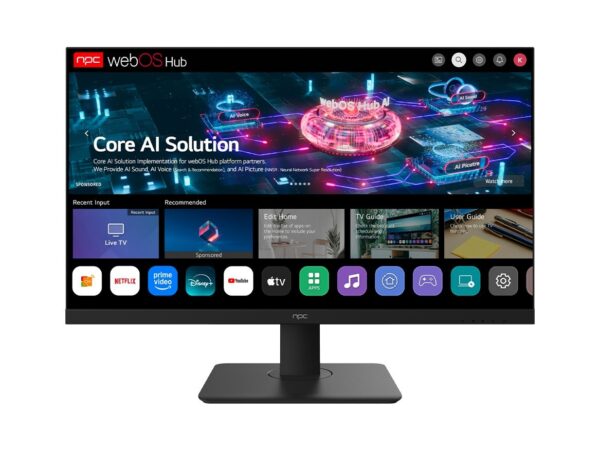
If you need ultimate flexibility, pair a compact mini‑PC with a pro monitor — easier to upgrade and replace. Small form factor desktops give better thermals and component choices. Laptops still win for mobility. Pick the path that fits how you actually work: if your desk setup stays put, AIOs win for simplicity; if you tinker or swap parts often, go modular.
Experience that matters — real context
After the 2020 workplace shift, offices in hubs like Silicon Valley tightened real estate and leaned toward compact systems to reclaim desk space; that trend pushed IT teams to favor integrated rigs for shared spaces and hot desks. For business buyers seeking that compact reliability, many organizations switched to all in one pc for business to simplify deployment and support. Expect less cable chaos, easier inventory management, and fewer surprise compatibility issues when you standardize on a trusted AIO line.
Quick buying checklist
CPU: pick one that matches workload; Intel i5/i7 or AMD Ryzen 5/7 for most office needs. RAM: 16GB baseline, 32GB for heavy multitasking. Storage: NVMe SSD for OS and apps, add SATA for big files. GPU: integrated for docs/meetings, discrete for creative work. Ports: at least two USB‑A, two USB‑C, HDMI/DP, Ethernet. Webcam/audio: test sample footage before you roll out. Service: confirm warranty terms and repair turnaround in your region. Mounting: VESA compatibility if you plan monitors on arms. Power and thermal design: read reviews for sustained performance, not just benchmarks.
How this helps you right now
You want reliable machines that stay out the way and keep people productive. Keep the checklist, avoid flashy specs that don’t match your workflow, and choose a configuration that tech teams can support without drama. If you need a steady partner for procurement and consistent product lines, consider how npc fits into that plan — they focus on practical, deployable systems that cut clutter and make life simpler for users and IT alike.